














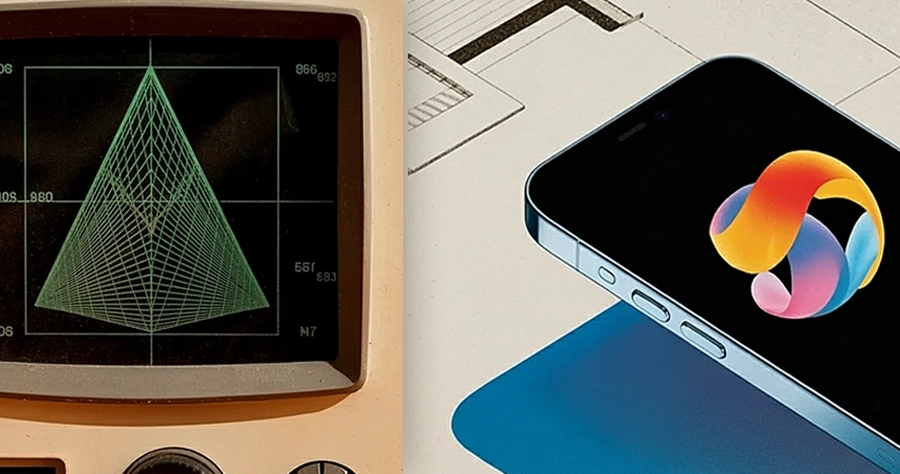
Vector graphics have quietly powered screens, interfaces, and games for decades—long before they became the star of slick micro-animations, Lottie files, and interactive Rive experiences. This article walks through how we got from oscilloscopes and CAD terminals to lightweight, resolution-independent animations that load in a split second on your phone.
Vectors vs pixels: the big idea
At the heart of vector graphics is a simple idea: instead of storing every pixel, store the recipe.
- Vector images describe lines, curves, shapes, and text using math—points, paths, and fills—rather than fixed pixels.
- Because they are instructions, they can scale infinitely without becoming blurry, which is perfect for logos, icons, UI elements, and of course, animations.
From oscilloscopes to early CAD
The story of vector graphics starts long before the web.
- In the 1950s–60s, early computer displays used vector monitors that drew lines directly with an electron beam—great for wireframe images but not for photographs.
- In 1963, Ivan Sutherland’s Sketchpad at MIT became one of the first interactive computer graphics systems, letting users draw and edit shapes directly on a screen—an early glimpse of modern vector design tools.
Through the 1970s–80s, vector graphics powered flight simulators, arcade games like Asteroids, and, crucially, CAD (Computer-Aided Design) software for engineers and architects.
PostScript, desktop publishing, and the birth of SVG
Once printers and personal computers took off, vectors found a new home: print and typography.
- In the 1980s, Adobe’s PostScript language allowed printers to render vector outlines of fonts and illustrations at any resolution, fueling desktop publishing.
- Vector drawing programs like Adobe Illustrator (1987) and CorelDRAW (1989) made Bézier curves and anchor points part of a designer’s everyday toolkit.
When the web arrived, bitmap images (GIF, JPEG, PNG) dominated—but they didn’t scale well, especially on early, slow connections. In the late 1990s, several companies proposed XML-based vector languages for the web, which merged into what we now know as SVG (Scalable Vector Graphics).
- Work on SVG began at the W3C around 1999 after multiple competing proposals.
- SVG 1.0 became a W3C Recommendation in 2001, defining a text-based vector format that browsers could render and manipulate with CSS and JavaScript.
Early web animation: Flash, GIF, and friends
Before SVG animation took off, the web already loved to move.
- The GIF format, introduced in 1987 by CompuServe, quickly became the go-to for simple looping animations—great for memes, less great for crisp vector art.
- In the late 1990s and 2000s, Adobe Flash dominated interactive and vector-based web animation, from banner ads to full-fledged games.
Flash provided its own vector engine, timeline, and scripting language (ActionScript), but required a plugin and came with performance and security issues—especially on mobile. As Flash faded, open standards like HTML5 Canvas, CSS animation, and SVG stepped in.
SVG animation arrives on the web
SVG wasn’t just about static icons; from quite early on, it included animation capabilities.
- Experimental SVG animation examples appeared in the late 1990s, and some browsers supported SVG animation as early as around 2003.
- By roughly 2011, all major browsers supported SVG, opening the door for cross-platform vector animations styled with CSS and controlled via JavaScript.
Designers and developers soon began animating SVG for icons, logos, illustrations, and rich UI transitions. SVG remains a core tool for vector animation today because it is resolution-independent and compact, and it integrates directly into the DOM.
Lottie: vectors meet product design
Lottie is where motion design from tools like After Effects meets modern apps and web frontends.
- Lottie is a file format for vector graphics animation, named after German silhouette animation pioneer Charlotte “Lotte” Reiniger.
- It stores animations as JSON data exported from Adobe After Effects using the Bodymovin plugin, then renders them via platform-specific players at runtime.
How Lottie was born
The path to Lottie began with one crucial plugin:
- In 2015, Hernan Torrisi released Bodymovin, an After Effects plugin that exported animations as JSON and included a JavaScript player to render them in browsers.
- In 2017, Airbnb engineers Brandon Withrow (iOS), Gabriel Peal (Android), and Leland Richardson (React Native), together with animator Salih Abdul-Karim, built libraries to render these JSON animations across platforms and coined the name “Lottie.”
Since then, a rich ecosystem has grown:
- Microsoft and the .NET Foundation released a Windows library (2018); Qt, Samsung (rLottie), and others added support in 2019.
- In 2020, the dotLottie format was introduced to bundle multiple Lottie animations and assets into a single compressed file.
- In 2024, the Lottie Animation Community was established to help standardize and steward the format.
Rive: all-in-one interactive vector animation
While Lottie focuses on exporting from After Effects, Rive is a dedicated vector animation tool and runtime built around interactivity.
- Rive combines vector drawing, rigging, and state-machine-based animation in one environment, then exports assets that run in real time on web, mobile, and game engines.
- It is especially strong for UI animations, character rigs, and interactive states (hover, tap, drag), all powered by compact vector data.
Compared with Lottie, Rive centers on interactive, runtime-controlled animations built directly in its own editor, while Lottie shines as a bridge for After Effects-driven motion graphics.
Lottie vs SVG vs Rive at a glance
| Aspect | Lottie | SVG animation | Rive |
|---|---|---|---|
| Core format | JSON describing vector animations, often exported from After Effects. | XML-based vector markup rendered directly in the browser DOM. | Proprietary editor with vector scene data, exported to runtimes. |
| Typical workflow | Design in After Effects → export via Bodymovin → play with platform libraries. | Draw in a vector tool or inline SVG → animate via SMIL, CSS, or JS. | Design and animate directly in Rive editor → integrate via SDKs. |
| Best for | UI micro-interactions, icons, loading animations, marketing illustrations. | Logos, icons, illustrations tightly integrated with HTML/CSS/JS. | Highly interactive UI states, game-like interactions, character rigs. |
| Strengths | Small files, cross-platform players, designer-friendly via After Effects. | Web-native, accessible, SEO-friendly, easy to style and script. | Real-time interactivity, state machines, unified design-to-runtime flow. |
The modern era: tiny animations, huge impact
Today, vector animations quietly shape digital experiences everywhere.
- Micro-animations guide users through onboarding, confirm actions, and make interfaces feel responsive and alive, often powered by Lottie, Rive, or SVG.
- Because they are resolution-independent and compact, vector animations help keep apps fast and visually crisp across phones, tablets, desktops, and high-DPI displays.
Design tools and platforms—from SVG-focused tools to Lottie marketplaces and Rive libraries—have made it easier than ever for designers to ship motion without deep coding expertise.
Comments (0)